Stop wondering where your paycheck went.
Budget planners and money templates for real paychecks. Open it, add your numbers, and see every dollar before you spend it.
Shop the planners How it worksYou don’t have a money problem. You have a visibility problem.
“Where did it all go?”
Payday feels great for two days, then the forgotten subscriptions and “quick” store runs eat the rest.
Five apps, zero clarity
Bank app, notes, receipts, a half-built spreadsheet. Nothing shows the whole picture in one place.
Budgets you quit by February
Most templates take hours to set up. Ours are ready in about 10 minutes, with a Start Here guide.
Pick the planner for your situation
Every template comes with a filled DEMO and a clean BLANK version.
-
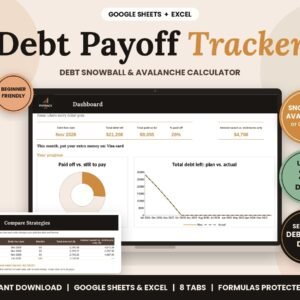
Debt Payoff
Debt Payoff Tracker – Snowball & Avalanche Calculator
Original price was: $12.33.$7.40Current price is: $7.40. Add to cart -
Budget Planners
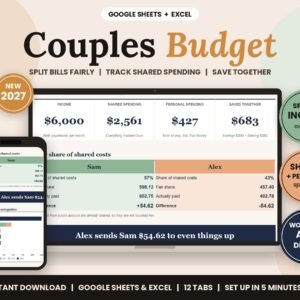
2027 Couples Budget Planner – Split Bills Fairly by Income
Original price was: $13.33.$8.00Current price is: $8.00. Add to cart -
Budget Planners
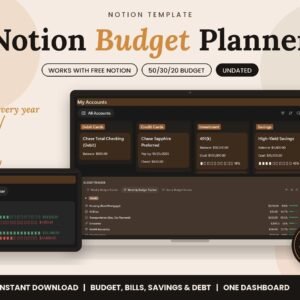
Notion Budget Planner – Stop Living Paycheck to Paycheck
Original price was: $14.99.$6.00Current price is: $6.00. Add to cart
From checkout to tracking in 10 minutes
Buy once
Pay one time, no subscription. Your Quick Start PDF is on the order page and in your email right away.
Make your copy
Click “Make a copy” for Google Sheets, “Duplicate” for Notion, or download the Excel file.
Just track it
Follow the Start Here tab, add your paycheck and bills, and watch your plan fill in on its own.
Built for real paychecks
Weekly, biweekly or monthly pay
Plan by the way you actually get paid, including 401(k), Roth IRA, HSA and high-yield savings.
No formulas to write
Totals, progress bars and your debt-free date update on their own. Formulas are protected so nothing breaks.
Real support
Every template is tested by hand before launch, and every email gets a personal reply, usually within 24 hours.
Questions, answered
Do I need a paid app?
No. Google Sheets and Notion templates work on the free plans. Excel files work in Excel 2016+ or free Excel for the web.
How do I get my template?
Right after checkout, your Quick Start PDF is on the order page and in your confirmation email. Open it and click the link.
Do I have to connect my bank?
Never. You type your own numbers, so your data stays yours.
Can I use it on my phone?
Yes, in the free Google Sheets or Notion app. Setup is easier on a computer.
What if something doesn’t work?
Email hello@fintrackhubshop.com and we’ll fix it or replace it. See our Refund Policy.
Give every dollar a job before it disappears.
One-time price. Instant download. Just track it.
Browse all planners